
Reset or Change your email password in Webmail
How to reset your email password

Xander
Last Update 3 months ago
Note: you will need to know the current password to change it here. If you have forgotten your password, contact your mail administrator to make the change for you.
1. Browse to Webmail
2. Log in with your:
4. Select Manage Mailbox.
5. Log in with your full email address and mailbox password.
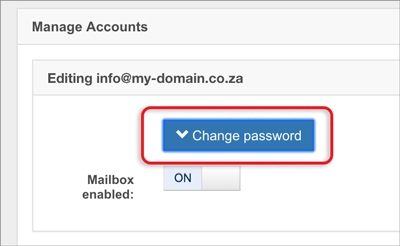
6. Click the Change password button.
2. Log in with your:
- Full email address, e.g. [email protected] and
- Email password (remember, passwords are case-sensitive)
4. Select Manage Mailbox.
5. Log in with your full email address and mailbox password.
6. Click the Change password button.
7. Enter and verify your new password
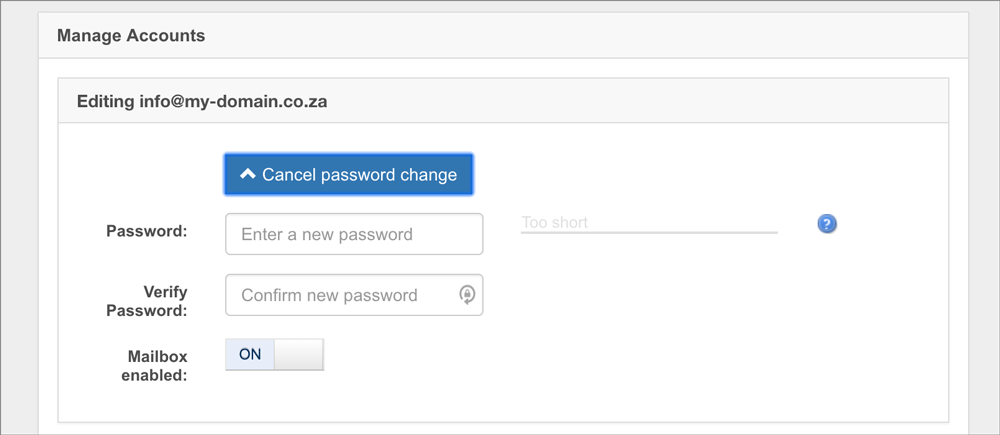
8. Click Update Mailbox at the bottom of the page.
If you make use of an email program to access your email, it is important that you update your email program with your new password.
Ensure your password is strong. Following our guidelines
- Use both upper and lower case letters
- Incorporate numbers or punctuation marks
- Ensure your password is at least 11 characters long
- Do not use your usernames, email addresses or domain names associated with your account
- Do not use your personal information, like your pet’s name, special dates, or your ID number
- Use different passwords for your various hosting services
- Store your passwords securely using a secure application e.g Proton Pass